Event invitations: from RSVP to your attendee list
Send personalized invitations and get each guest's attendance confirmation in one click, in real time. No manual follow-ups or duplicate data: guest management that is fast, accurate and tailored to every type of event.
Guest management: your whole list, organized and under control
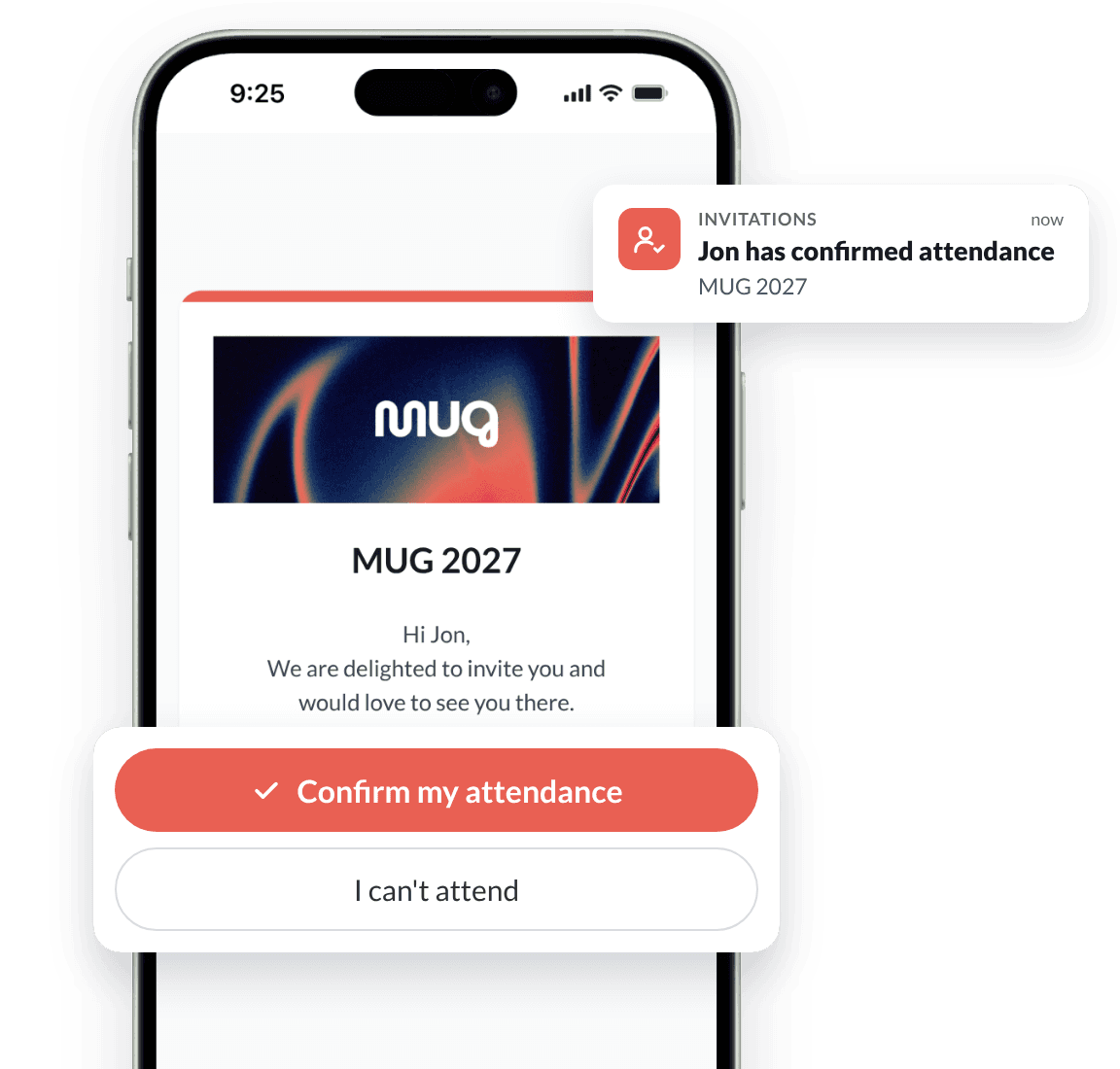
Bring all your guests together in one place. Organize them into categories, such as VIP, press, speakers, sponsors or whatever your event needs, and set their capacity: if a category has limited seats, those seats are reserved for it.
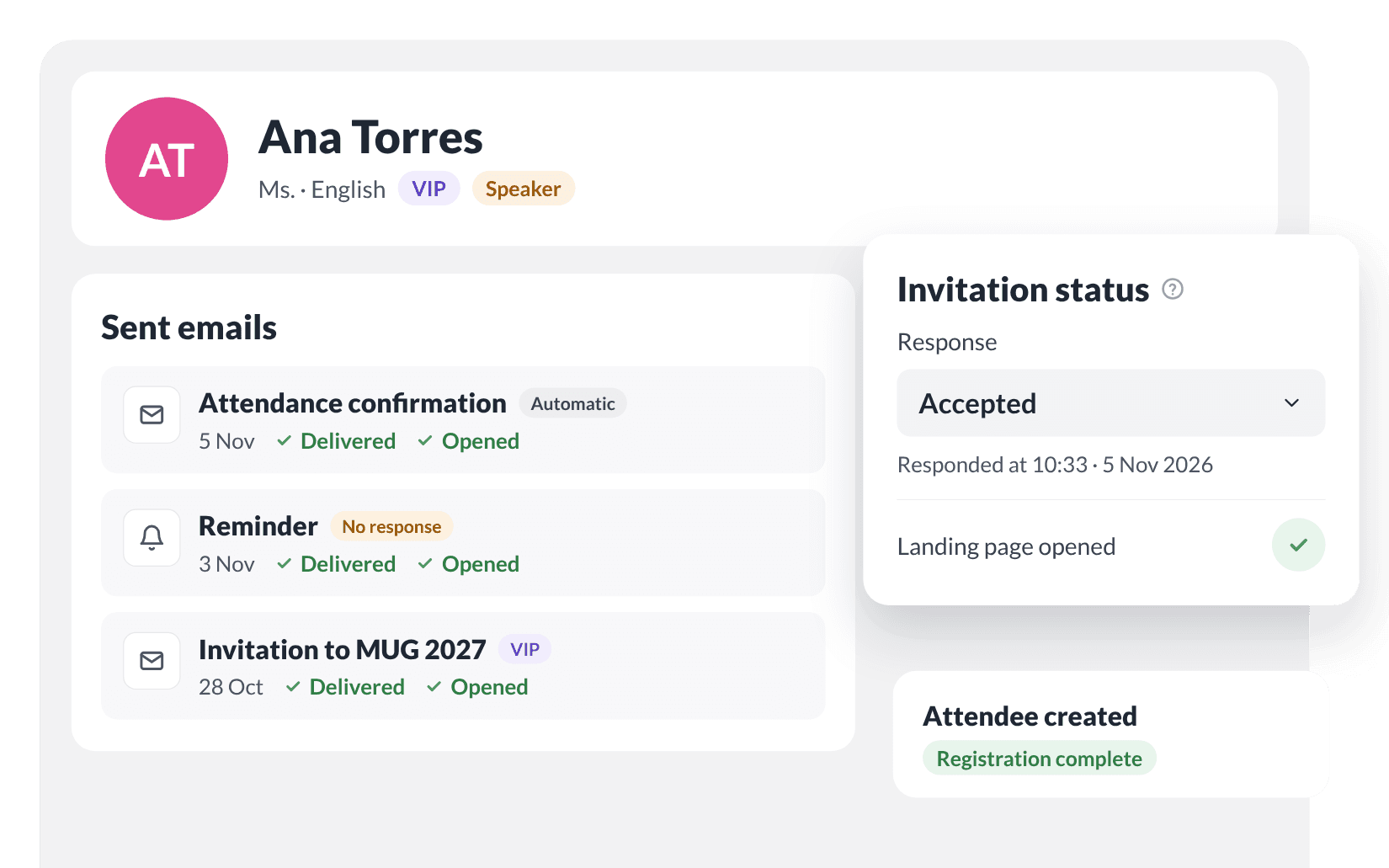
Every guest has a profile with their full journey: the invitations received, whether they opened the response page, what they answered and whether they have registered. Add internal notes, visible only to your team, and always keep the context at hand.
From invitation to attendance confirmation
Personalized invitations with your event's branding
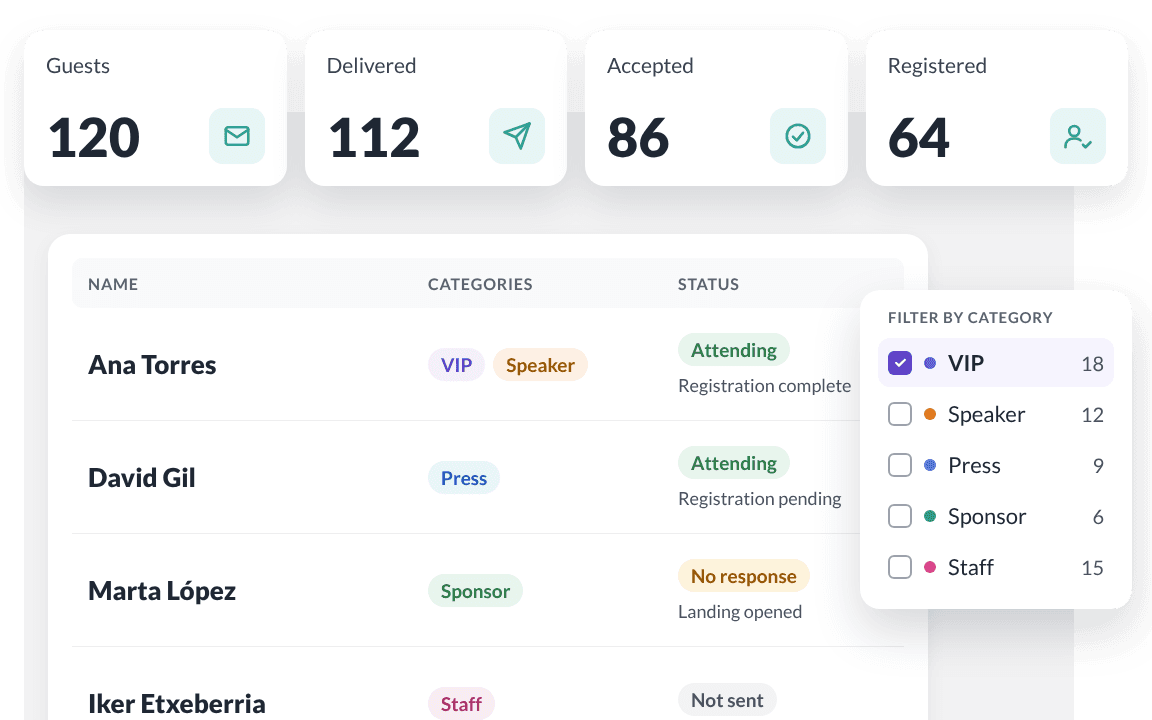
Every invitation reflects your event's identity and addresses each guest by name and title, in their language. A well-crafted invitation conveys the importance of your event from the very first moment.
Create several email templates and segment your mailings so each message reaches only the people it is meant for, for example, to send reminders. And if you prefer, the invitation can lead straight to the registration form.
Attendance confirmation (RSVP) in one click
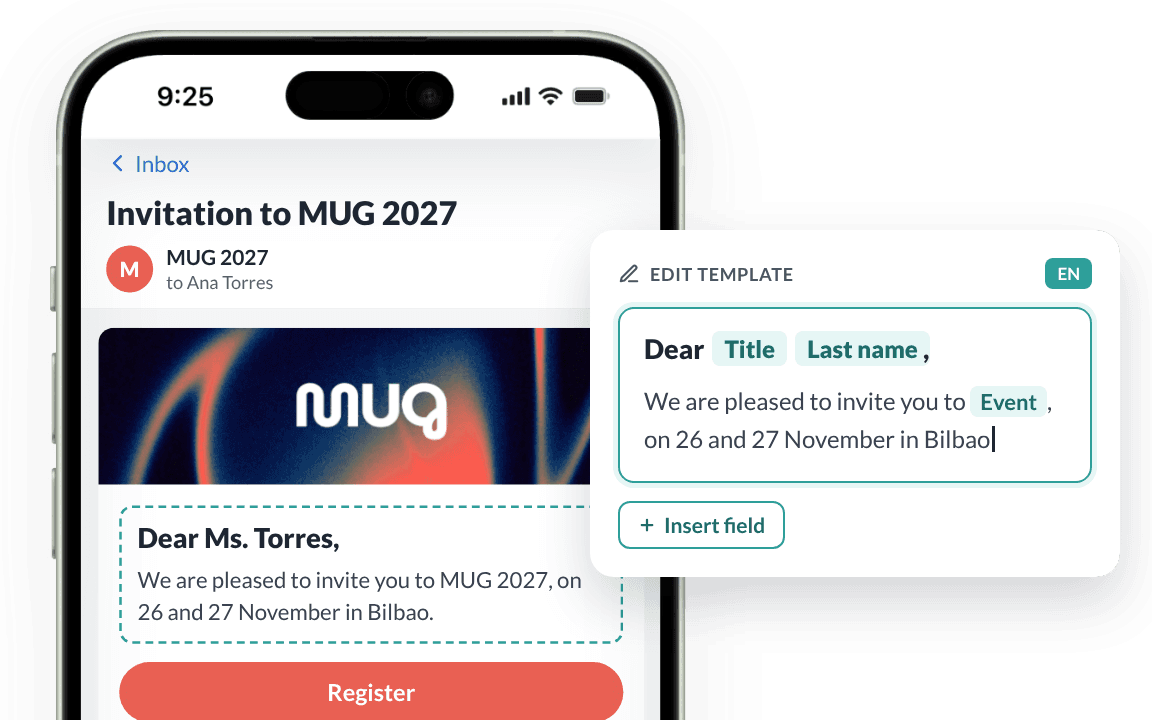
Your guest opens a page with your event's branding and replies with a single click: yes, no or not sure yet. The easier it is to reply, the sooner you get the answer.
Every response triggers an automatic email with the content you choose, different for those who confirm, those who can't attend and those who aren't sure yet. Set a deadline and decide whether your guests can change their answer.
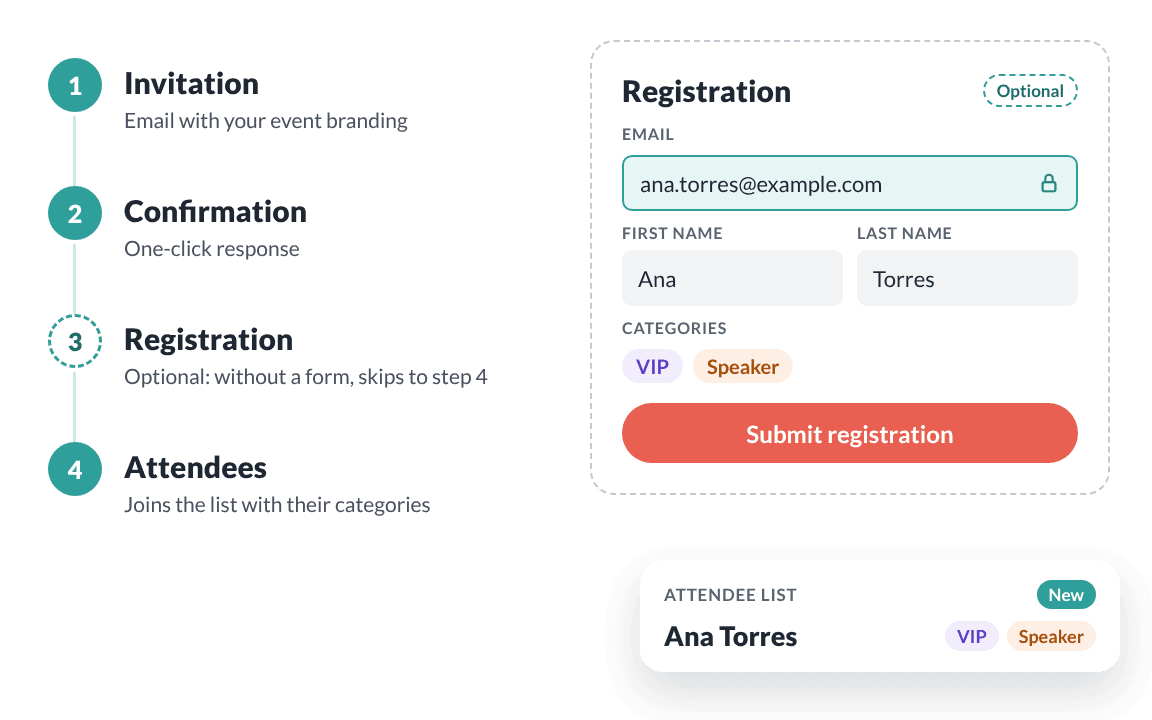
From guest to attendee, with no duplicate data
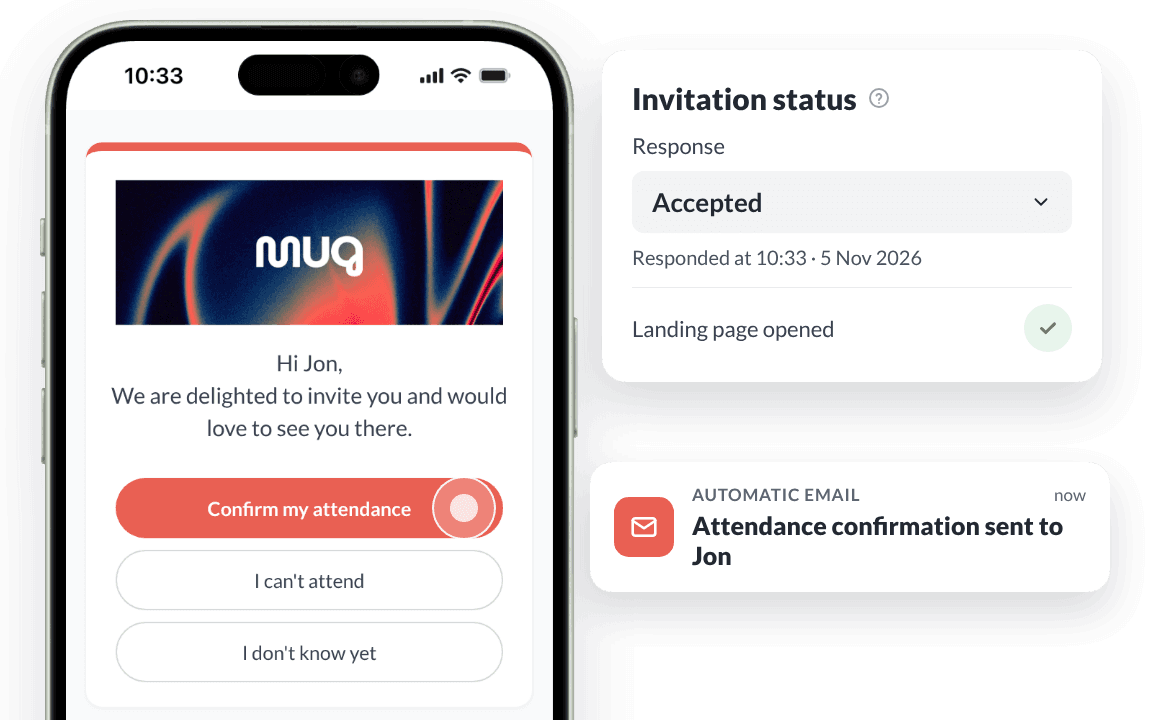
Choose the process that best fits your event. If you only need to know who will attend, every guest who confirms automatically joins your attendee list. If you need more information, on accepting they go to the registration form with their email already filled in, and their categories move with them: no errors, no duplicate data.
For private events, turn on guests-only registration and only the people on your list will be able to sign up.
Invitation and RSVP tracking, always up to date
See at any time how many invitations have been delivered, how many guests have accepted and how many have completed their registration. And, for each guest, whether they received the invitation, opened the response page and what they answered.
Filter, download the list and send reminders to whoever needs them. That way you plan your event's logistics with real data and stay ahead of any surprise.
Invitations connected to registration, check-in and your event app
Confirmation is only the beginning. Every guest who accepts becomes an attendee and continues their journey on the same platform, with their data and categories, without moving information from one tool to another.
Registration forms
When you need more information, the guest who accepts goes straight to the registration form, with their email already filled in. And if the event is private, only your guests can register.
Discover our registration formsCheck-in and badges
As an attendee, your guest can already have their badge. On the day of the event, access is quick and attendance control is accurate.
Discover check-in and badgesEvent app
With their attendee profile, they log in to your event's app: all the information at hand, networking with other attendees and interaction during the sessions.
Discover event appsFrequently asked questions about invitations and RSVP
What does RSVP mean on an invitation?
RSVP stands for the French expression “Répondez s'il vous plaît” (“please reply”): on an invitation, it means you are asked to confirm your attendance. With Eventool, guests reply in one click from a page with your event's branding, and their answer is recorded instantly in the organizer's dashboard.
What is the difference between an invitation and a registration form?
An invitation is sent to a closed list of people so they can confirm their attendance. A registration form collects the attendee's data. They can be used separately or chained together: the guest accepts and completes their registration with their email already filled in.
Can I organize an event for invited guests only?
Yes. With guests-only registration, only the people on your list can sign up. You can also limit the event's capacity and that of each guest category.
What happens when a guest accepts?
They receive an automatic email with the content you have defined and join your attendee list, either directly or after completing their registration, depending on the event's setup. Their email and categories are kept, so there's no need to enter them again.
Can I send reminders to my guests?
Yes. You can create several email templates and segment your mailings so each reminder reaches only the guests you choose.
Can I sign up for the service for a single event?
Yes. You can sign up for a one-off event or with an annual license, and either manage it yourself with the support team's help or order it as a turnkey service.
Shall we prepare the invitations for your next event?
Tell us about the event you're organizing and we'll show you how to adapt the invitations to your guests, your brand and your way of working.
- One event or an annual license
- Self-managed or turnkey service
- Support by phone, video call and email
For medical congresses, conventions and corporate events, incentive trips, courses, seminars and conferences.